Logging Setup
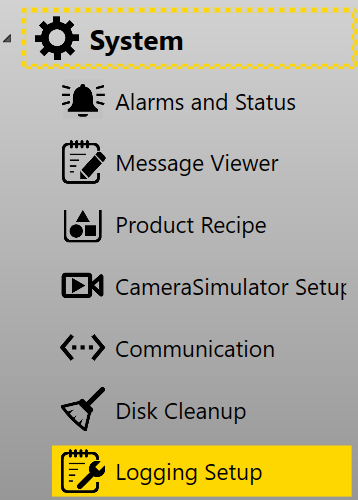
Logging setup pages specifies two types of log settings: System Logging and Alignment Logging. It can be found in System category in setup mode.
System Logging
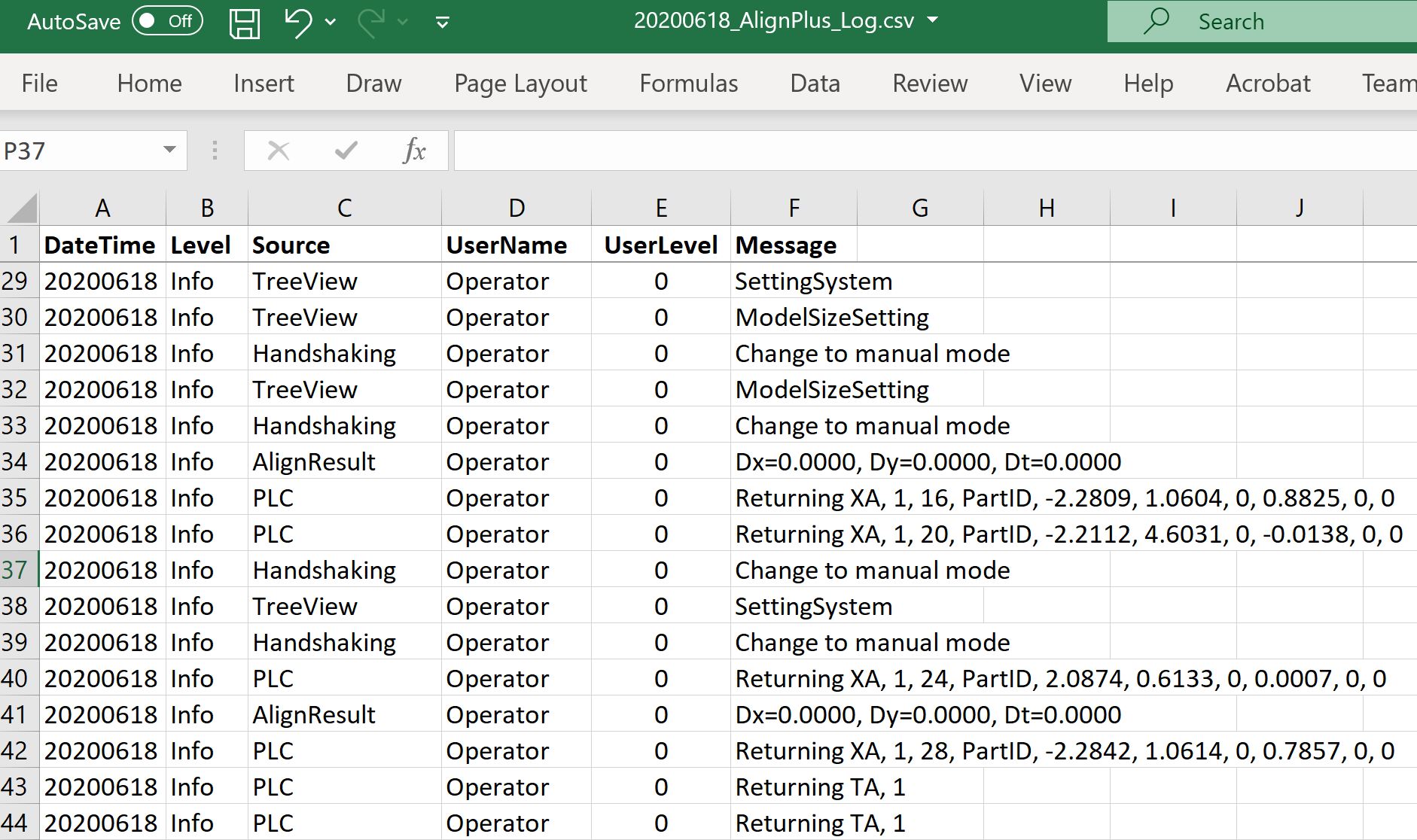
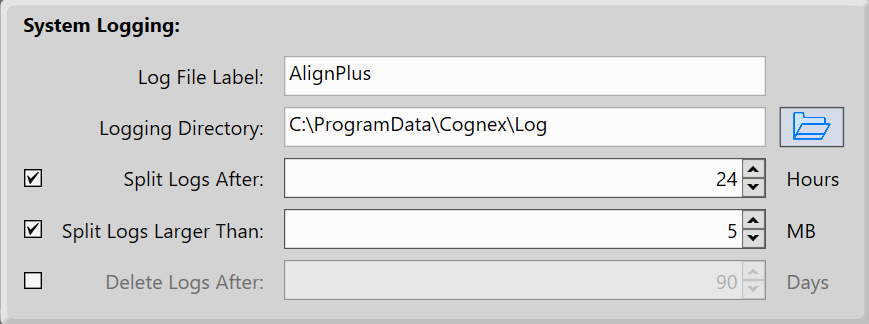
System Logging saves system logs that are shown at the button bar into .csv files. It covers commands received from external devices, results sent out by vision, operator's actions, error message when exception happens, etc. A system log includes DateTime, user name and control level, message type, message source and message content. The default directory of the saved .csv file is "C:\ProgramData\Cognex\Log". The default file name is "<Date>_AlignPlus_Log".
It will split into different .csv files based on time span or file size to keep the files feasible to operate. The default time span is 24 hours, default size limit is 5 MB and you can also change them to meet your needs.
Alignment Result Logging
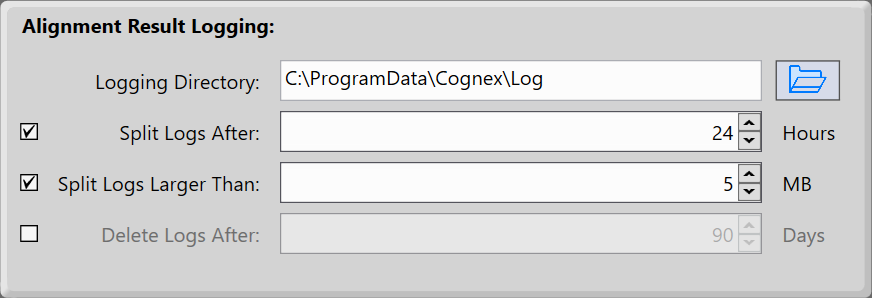
Alignment result log is also saved under the same directory of system log file with a different name: "<Date>_<Alignment Name>_Log", for example "20200616_Alignment0_Log". Alignment Name here is the alignment task name, each alignment task will have its own alignment log file. Those files will also be divided into different files based on time span and file size.
Alignment result log content has two parts. The first part is the result x, y, theta values that vision sent back to motion device including absolute and relative positions; the second part is result data of all features in run time and train time.
| Name | Description |
|---|---|
| TimestampUTC | Time stamp when the log is written down |
| ErrorMsg | Error message, empty when there is no error |
| AbsoluteStageMotionX | X value of target position that motion device should move to |
| AbsoluteStageMotionY | Y value of target position that motion device should move to |
| AbsoluteStageMotionThetaDegrees | Theta value of target position that motion device should move to |
| RelativeStageMotionX | X value of relative position that motion device should move |
| RelativeStageMotionY | Y value of relative position that motion device should move |
| RelativeStageMotionThetaDegrees | Theta value of relative position that motion device should move |
The result data of each feature contains the following data:
| Item |
Description |
|---|---|
| IsFound | Indicates if the feature is found. |
| IsValid |
Indicates if the result of the finder is valid. If this is true then the X, Y and Score properties are valid. If MultipleFindersPerFeatureMode is true, IsValid can be true, but IsFound can be false. |
| FeatureLocationX | The X coordinate of the found feature. This value is undefined if IsFound = false. |
| FeatureLocationY | The Y coordinate of the found feature. This value is undefined if IsFound = false. |
| FeatureRotationXInDegrees |
The angle of the X Axis of the found feature. This value is undefined if IsFound = false and is valid only if found by a PatMax tool. |
| FeatureRotationYInDegrees |
The angle of the Y Axis of the found feature. This value is undefined if IsFound = false and is valid only if found by a PatMax tool. |
| CameraIndex | The index of the camera containing the point feature finder and the feature location. The value is -1 for multi camera custom feature finder. |
| Score | Score of found feature. This value is only valid when PatMax Finder is used to find the feature |